

A CRM with WhatsApp integration connects your WhatsApp Business Platform API to your customer relationship management software, allowing your sales team in Nigeria to manage conversations, track leads, and handle approvals in one central system. This setup, offered by platforms like Carrotsuite, provides a unified view of all customer interactions by logging chats directly against contact records, which is not possible with the standard WhatsApp Business app.
Get a Unified View of Sales, Not Just Another Inbox
Integrating WhatsApp directly into your Customer Relationship Management (CRM) system is a transformative step for any Nigerian sales team. It moves your operations beyond a cluttered collection of inboxes and into a single, cohesive command centre. This integration allows your team to manage conversations, track leads, and process approvals all in one place, eliminating the productivity-draining need to constantly switch between applications. It fundamentally redefines WhatsApp's role, elevating it from a simple messaging app to a fully-fledged sales channel that is deeply connected to your core business data. For a sales representative, this means when a message arrives from a customer, they see far more than just the text; they see the customer's entire commercial journey. Their screen displays past purchases, previous support queries, notes from other team members, and the customer’s current stage in the sales pipeline—all presented in a single, contextual view alongside the live conversation.
Achieving this coveted "full view" requires more than just a basic API connection; it demands a structured and intelligent setup. The system must be configured to automatically log every conversation against the correct customer record. Advanced platforms like Carrotsuite's CRM+ are engineered specifically for this purpose. When a WhatsApp message comes in from a known phone number, the system instantly retrieves and displays the corresponding contact file. This architecture prevents the common yet damaging problem of fragmented conversations, where one sales representative's crucial chat history is siloed on their device, completely invisible to a colleague or manager who may need to take over the conversation. By centralising every interaction, you create an unshakeable single source of truth for all customer communication, which is invaluable for effective team collaboration, accurate performance tracking, and delivering a seamless, professional customer experience that builds trust and loyalty.
Ultimately, the objective is to weaponize WhatsApp as an intelligent sales tool, not just a passive communication log. A proper CRM integration unlocks the potential for sophisticated automation and streamlined workflows. You can configure the system to trigger automated follow-up messages if a lead hasn't responded after a set period, send automated payment reminders linked to invoice statuses in the CRM, or even intelligently route specific queries—such as a request for a technical specification or a complex discount—to the appropriate product specialist or manager for immediate approval. This level of process automation is simply impossible with the standalone WhatsApp Business app. It ensures that valuable customer interactions are not lost in personal phone logs or forgotten in a busy inbox, but are captured as structured, actionable data within your central business system, ready to be analysed and leveraged for growth.
WhatsApp API vs. Business App: Choosing the Right Tool for Sales
For any Nigerian business aiming to scale its sales operations, understanding the fundamental differences between the standard WhatsApp Business app and the WhatsApp Business Platform (accessed via the API) is mission-critical. The free Business app is an excellent entry point for sole proprietors or micro-businesses. It allows one user on a single phone to manage chats, set up a basic business profile, create a product catalog, and use simple automated replies. However, its inherent limitations become a significant bottleneck as soon as the business begins to grow. It is fundamentally designed for a single user, and while the 'linked devices' feature allows a few more people to connect, it's an inefficient workaround, not a true multi-agent solution. It offers no genuine integration capabilities with other essential business software like a CRM, meaning customer data remains isolated on one device.
This is where the WhatsApp Business Platform (API) becomes indispensable. The API is not an application you download but a programmable gateway that allows software like Carrotsuite's CRM+ to send and receive messages on your behalf. This enables a suite of powerful features that are simply out of reach for the standard app. Crucially, it allows multiple sales agents to manage high volumes of conversations simultaneously from their individual CRM dashboards, all using a single, official business number. All chat history is centrally recorded and archived, creating a complete, searchable database of every customer interaction. Most importantly, it allows for the automation of messaging based on triggers from your sales pipeline—for example, automatically sending a welcome message the moment a new lead is created in the CRM, or a thank-you note when a deal is marked as 'won'.
Opting for the API over the Business App is a strategic decision that directly impacts scalability, collaboration, and accountability. It means you can implement intelligent rules, such as assigning incoming conversations to specific team members based on territory or product line. Managers can monitor team performance, track average response times, and review conversation quality to identify coaching opportunities. If a lead makes an inquiry on Monday and follows up on Thursday with a different agent, that agent can pick up the conversation with full, unabridged context, without forcing the customer to repeat themselves—a hallmark of professional service. Furthermore, the API is the only method to programmatically send pre-approved, templated messages for critical notifications like order confirmations, shipping alerts, or appointment reminders. While the Business app is a useful tool for one-person operations, the API is the non-negotiable foundation for any sales team that needs to collaborate effectively, automate workflows, and maintain a complete, auditable record of its customer conversations.
Navigating the Costs: How WhatsApp API Pricing Works in Nigeria
A primary concern for Nigerian businesses considering the WhatsApp Business Platform is its cost structure. Unlike the free, standalone Business app, the API operates on a usage-based pricing model that requires careful planning and budgeting. Meta's pricing is calculated on a per-conversation basis, not per message. A 'conversation' is a 24-hour messaging session, and the price of that session depends on who initiated it and the category of the initial message. For messages sent to Nigerian phone numbers, Meta classifies conversations into four categories: Marketing, Utility, Authentication, and Service.
Here’s how the billing works in practice. A Service Conversation is initiated when a customer sends your business a message first. This opens a 24-hour customer service window. Any messages you exchange with the customer during this window fall under that single service conversation fee. If you need to initiate a conversation yourself, or contact a customer more than 24 hours after their last message, you must use a pre-approved Message Template. This initiates a Business-Initiated Conversation, which is billed according to the template's category: Marketing (for promotions or offers), Utility (for transaction-related updates like order confirmations), or Authentication (for one-time passcodes). As of late 2024, for Nigeria, marketing conversations are the most expensive, while service conversations are the least expensive. This model incentivizes businesses to provide responsive customer service and use proactive outreach for valuable, expected communications rather than unsolicited spam.
It is absolutely critical to check Meta’s official rate card and understand the policies before launching. These prices are subject to change, and relying on outdated third-party blog posts can lead to significant budget miscalculations. For instance, reports indicate rates for Nigeria at approximately US$0.0125 for a service conversation and up to US$0.0516 for a marketing conversation, but these are illustrative. A CRM like Carrotsuite provides a vital layer of financial control. It helps you manage your message templates, ensuring you use the correct and most cost-effective category for each communication. More importantly, it provides analytics and dashboards to track your conversation volume and associated costs in near real-time, allowing you to monitor your spending, calculate the ROI of your WhatsApp channel, and adjust your strategy to optimize for both customer engagement and cost-efficiency.
Approval Workflows: The Missing Link in Most WhatsApp Sales Processes
Simply connecting WhatsApp to a CRM solves the crucial problem of conversation tracking, but it often leaves a critical operational bottleneck unaddressed: approvals. In any dynamic sales environment, representatives frequently need management authorization for non-standard requests. This could be a special discount to close a competitive deal, an exception to the standard payment terms for a high-value client, or a custom quote for a bespoke order. Without a deeply integrated system, this approval process becomes a chaotic, untraceable mess of separate emails, frantic phone calls, or worse, more ad-hoc WhatsApp messages to managers. This manual process is not just slow and inefficient; it’s opaque, error-prone, and creates a frustrating experience for the customer left waiting for a final answer, which can often be the difference between winning and losing a deal.
A truly effective CRM with WhatsApp integration must therefore include a robust, configurable approval workflow engine. This is the component that transforms the CRM from a passive database into an active operational hub. A platform like FLOW by Carrotsuite is designed to address this exact challenge. Instead of the sales representative having to leave the CRM and break their workflow to ask for a discount, they can trigger an approval request directly from within the customer's conversation or deal record. The request, which automatically includes all relevant context—such as the customer's sales history, the deal size, the requested discount percentage, and the conversation transcript—is then intelligently routed to the designated manager or approval chain. This ensures the decision-maker has all the necessary information at their fingertips without needing to ask for it.
Let’s walk through a concrete example. A sales agent at a Nigerian electronics distributor is chatting on WhatsApp via their CRM with a corporate client who wants to purchase 50 laptops but is asking for a 12% discount, while the agent is only pre-authorized for 8%. Instead of a delay, the agent clicks "Request Approval" within the deal page in Carrotsuite's CRM+. They enter the 12% figure and a brief justification. The system instantly sends a notification to the Head of Sales. The manager reviews the request on their own dashboard, sees the potential deal value of ₦15 million, the client's long-standing history, and approves the discount with a single click. The decision is instantly relayed back to the sales agent and permanently logged in the CRM's audit trail. The agent can then confirm the approved offer back to the buyer on WhatsApp, often within minutes of the original request. This seamless, instantaneous process not only dramatically accelerates the sales cycle but also creates an invaluable, fully auditable record, ensuring all special terms are properly authorized and documented without any risk of miscommunication or manual data entry errors.

Ensuring Compliance with Nigeria's Data Protection Act (NDPA)
When you integrate WhatsApp into your sales and marketing process, you are actively collecting, processing, and storing personal data, which places your business squarely under the jurisdiction of the Nigeria Data Protection Act 2023 (NDPA). Adherence to this law is not optional. Non-compliance can result in severe financial penalties, reputational damage, and a significant loss of customer trust. The NDPA mandates that you must have a clear, lawful basis for processing personal data, be transparent with individuals about how their data is being used, and implement appropriate technical and organizational measures to secure it. A critical requirement is obtaining and documenting explicit consent (opt-in) from customers before sending them proactive messages, particularly for marketing purposes. Using the WhatsApp API is not a license to message any number you have; you must be able to prove that the individual agreed to be contacted on that channel.
Your CRM is the central pillar of your compliance strategy. It must function as your system of record not just for sales activities, but for consent management as well. A compliant setup requires the CRM to log precisely when and how a customer gave their consent (e.g., by ticking a box on a web form, or sending a specific keyword via WhatsApp). The system should also record the scope of that consent—for instance, a customer might agree to receive order updates but not promotional offers. Crucially, your CRM must provide a clear and simple mechanism for individuals to withdraw their consent at any time (opt-out), and this action must be automatically recorded and enforced. Furthermore, internal data governance is vital. The principle of data minimization dictates that staff should only access data necessary for their roles. Your CRM must allow you to configure granular user permissions, preventing a junior sales agent, for example, from exporting the entire customer database.
It is essential to understand the full scope of your responsibility. WhatsApp's end-to-end encryption protects messages while they are in transit between the user's device and Meta's servers. However, that protection ends once the data is received and processed by your CRM or exported into other formats like spreadsheets. The security of the data once it is under your control—what the NDPA calls the 'data controller'—is entirely your responsibility. This includes ensuring data is encrypted at rest within your CRM database, maintaining detailed access logs, and having clear data retention policies to automatically delete customer information after a specified period. When choosing a provider, you must perform due diligence. Ensure your CRM vendor, like Carrotsuite, acts as a responsible data processor with a robust security and compliance framework that aligns with the requirements of the NDPA, helping you build a sales process that is not only efficient but also lawful and trustworthy.
Implementation in Practice: What to Expect When You Go Live
Integrating WhatsApp with your CRM is a strategic business project, not a simple software installation. A successful rollout requires meticulous planning, a phased approach, and a clear understanding of the steps involved to avoid common pitfalls. The journey typically begins with the administrative setup: creating a Meta Business Manager account, undergoing Business Verification, and setting up a WhatsApp Business Account (WABA). You will then need a phone number for the service—this must be a number not currently in use with any WhatsApp account. This initial verification and setup phase, managed through a Business Solution Provider (BSP) or directly with Meta's Cloud API, can take anywhere from a few business days to a couple of weeks, depending on the completeness of your documentation.
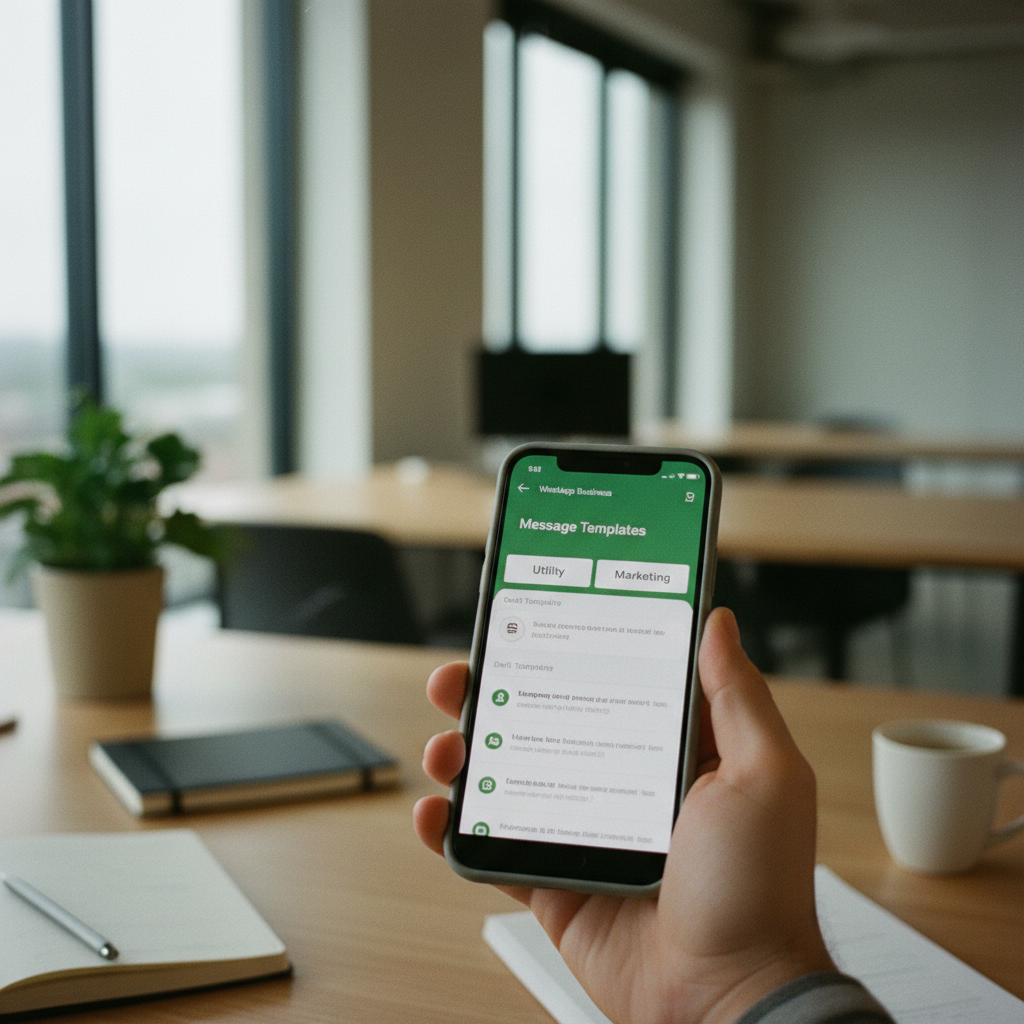
Once the technical pipe is connected, the substantive work of workflow design begins. This is the most critical phase for ensuring the integration delivers real value. You and your team must collaboratively decide on the precise role WhatsApp will play. Will it be your primary channel for inbound lead qualification? A tool for proactive outbound follow-ups on stalled deals? Or a channel for post-sale customer support and feedback? Each use case requires a different process. A key task here is creating your Message Templates. These are the pre-written, structured messages required by Meta for initiating conversations. Crafting effective templates that are likely to gain approval involves a careful balance between brand voice, clarity, and adherence to Meta's strict policies, which, for instance, forbid promotional content in 'Utility' category templates. It's wise to plan for a few rounds of revisions before your essential templates are approved.
Finally, the human element is paramount and often underestimated. Deploying the software is only half the battle; ensuring your team adopts and correctly uses the new system is the other half. Comprehensive training is non-negotiable. Your sales and service teams need to be proficient in managing conversations from the CRM interface, understand when to use specific templates versus free-form replies, and follow the correct procedure for logging deal information or escalating issues. Acknowledge that automation has its limits. Staff will still need to handle edge cases, merge the occasional duplicate contact record that slips through, and apply human judgment to nuanced conversations. A phased rollout—starting with a small, tech-savvy pilot team—is a highly effective strategy. It allows you to identify and resolve unforeseen practical issues in a controlled environment before deploying the system across your entire organization. This iterative approach ensures a smoother transition and maximizes the long-term success of the project. For a personalized roadmap on what an implementation could look like for your Nigerian business, you can explore the solutions at Carrotsuite.com.ng.
Measuring Success: Key Metrics for Your WhatsApp Sales Channel
After integrating WhatsApp with your CRM, the final step is to measure its impact. Without tracking the right metrics, it's impossible to know if the investment is paying off, where to optimize, or how to calculate your return on investment (ROI). Your CRM should provide a dashboard with key performance indicators (KPIs) specifically for your WhatsApp channel. The first set of metrics to monitor relates to team activity and responsiveness. These include Average First Response Time (how quickly an agent responds to a new inbound message) and Average Conversation Handle Time (the total time an agent spends on a conversation). These KPIs are direct indicators of operational efficiency and the customer's experience; a long response time can lead to a lost lead.
Next, focus on conversion metrics that tie WhatsApp activity directly to sales outcomes. Track the Number of Leads Generated via WhatsApp and, more importantly, the Lead-to-Deal Conversion Rate for those leads. This helps you compare the quality of WhatsApp leads against other channels like email or web forms. Is a conversation on WhatsApp more or less likely to result in a sale? Another powerful metric is Sales Cycle Length. By integrating WhatsApp, you aim to shorten the time it takes to close a deal. Measure the average time from the first WhatsApp contact to the deal being marked as 'won'. If this duration is decreasing, it's a strong sign that the instant communication and streamlined approvals are effectively accelerating your sales process.
Finally, don't forget to analyze cost and content performance. Your CRM should help you monitor your Cost per Conversation, breaking it down by conversation type (Marketing, Utility, Service). This allows you to manage your budget and ensure you are using the most cost-effective messaging strategies. Alongside cost, track the Performance of Message Templates. Which templates have the highest open and reply rates? Which ones lead to the most conversions? This data is invaluable for refining your outreach and notification messages. By regularly reviewing these metrics, you can move from simply 'using' WhatsApp to strategically managing it as a high-performance sales engine, making data-driven decisions that boost both customer satisfaction and your bottom line.
Advanced Strategies: Beyond Basic Conversation Management
Once your team has mastered the fundamentals of managing WhatsApp conversations within the CRM, you can unlock more advanced strategies that create a significant competitive advantage. One powerful technique is proactive customer engagement based on behavioral triggers. Instead of just waiting for customers to contact you, your CRM can be configured to initiate conversations based on their actions. For example, if a known customer browses a specific product page on your website for more than two minutes but doesn't buy, the system can automatically send them a personalized WhatsApp message from their assigned account manager: "Hi [Customer Name], I saw you were looking at the new LG television. Do you have any questions about the features or delivery options?" This timely, contextual outreach can be incredibly effective at converting interest into a sale.
Another advanced strategy is to leverage WhatsApp for data enrichment and lead qualification. You can design automated chatbot flows that ask new, inbound leads a series of qualifying questions. For instance, in real estate, the bot could ask: "Thanks for your interest! To help me find the perfect property for you, could you let me know:
1) Your preferred location, 2) Your budget range, and 3) How many bedrooms you need?" The answers are automatically parsed and used to update the corresponding fields in the lead's CRM record. This not only saves the sales agent significant time but also ensures that by the time they engage in a live conversation, they already have the foundational information needed to make a relevant recommendation. This turns an unstructured chat into a structured data collection process.
Finally, consider integrating payments directly into your WhatsApp workflow. For many Nigerian businesses, closing a sale involves sending an invoice and waiting for a bank transfer. Modern integrations allow you to generate and send payment links from trusted gateways like Paystack or Flutterwave directly within the WhatsApp chat. When the customer clicks the link and pays, the invoice status in your CRM can be automatically updated to 'Paid'. This closes the loop entirely within the WhatsApp conversation, creating a frictionless purchasing experience. It reduces the delay and uncertainty associated with manual bank transfer confirmations and significantly shortens the cash conversion cycle. By implementing these advanced strategies, you transform WhatsApp from a communication channel into a comprehensive platform for sales, service, and transactions.
Frequently asked questions
Can I use my personal WhatsApp number for CRM integration?
No, it is not possible to use a personal or standard WhatsApp number for an official API integration with a CRM. The integration requires the WhatsApp Business Platform (API), which necessitates using a new phone number that is not tied to any WhatsApp account, or migrating an existing business number after deleting its current account. This is a fundamental requirement to ensure your integration is scalable, compliant, and enables true multi-agent access from a central dashboard. Platforms like Carrotsuite's CRM+ are built exclusively on this official Business API to provide these essential enterprise-grade features.
How much does a CRM with WhatsApp integration cost in Nigeria?
The total investment consists of two primary components: the recurring CRM subscription fee and the usage-based WhatsApp conversation fees. The CRM cost varies depending on the provider, the number of users (seats), and the feature tier you select. WhatsApp's API charges are based on 24-hour conversation sessions, with different rates in Nigeria for conversations initiated by the customer (Service) versus those initiated by the business (Marketing, Utility). You must budget for both the fixed platform fee and the variable messaging costs, which scale with your usage volume. Always consult Meta’s official rate card for the latest pricing.
Will all my team's WhatsApp conversations appear in the CRM automatically?
Yes, when correctly implemented using the official WhatsApp Business Platform API, all incoming and outgoing conversations handled through the single, connected business number are automatically captured and logged in the CRM. They are linked to the corresponding customer record, creating a unified, chronological history. However, this applies only to the official, integrated number. If your sales staff continue to use their personal WhatsApp accounts to communicate with clients, those conversations will remain siloed and invisible to the CRM. A critical part of implementation is enforcing a strict policy for all business communication to go through the official channel.
What kind of approvals can I manage with a WhatsApp CRM integration?
A powerful integration allows you to formalize and accelerate any approval vital to your sales or service cycle. Common examples include sales reps requesting authorization for special discounts beyond their limit, non-standard payment terms for a large order, custom delivery arrangements, or revisions to a formal quote. With a system like FLOW by Carrotsuite, you can build custom, multi-step approval workflows. A request can be triggered from the CRM, automatically pulling context from the WhatsApp chat and deal history, and routed to the appropriate manager for a one-click decision, creating a complete and instant audit trail.
How long does it take to set up a WhatsApp integration with Carrotsuite CRM+?
The initial technical setup, which includes Meta Business Verification and connecting the API, can typically be completed within a few days to two weeks, assuming all your business documentation is in order. The total implementation timeline, however, depends on the complexity of your desired workflows, the number of message templates you need to create and get approved by Meta, and the time required for team training. A straightforward setup for a small, focused team can be live in under two weeks, while a large-scale deployment with intricate automation may take three to four weeks.
Do I need a developer to connect WhatsApp to my CRM?
No, if you choose a CRM platform with a native, pre-built integration like Carrotsuite's CRM+, you do not need your own developer. Our platform is designed to handle all the technical complexities of the API connection, webhook configuration, and message processing behind the scenes. Your role will be to configure your business rules, design your workflows, and create your message templates using our user-friendly interface. This 'no-code' approach makes powerful WhatsApp automation and integration accessible to any business, regardless of its in-house technical resources.
Can I send bulk promotional messages using the WhatsApp API?
Yes, but with important restrictions. You can send promotional messages, classified as 'Marketing' conversations, to customers who have explicitly opted-in to receive them. This is not the same as old-school bulk SMS. You must use a pre-approved Message Template for the outreach, and you will be charged the 'Marketing' conversation rate for each person you contact. The key is having a system to manage consent, ensuring you only message users who have given you permission. Using the API to spam users who have not opted in is a violation of WhatsApp's policy and can get your account blocked.
What happens if the customer's number is not already in my CRM?
A well-designed integration will handle this scenario seamlessly. When a message arrives from an unknown number, the system should automatically create a new contact or lead record in the CRM. It will populate the record with the phone number and, if available from their WhatsApp profile, the customer's name. This ensures that every inbound inquiry is captured as a new lead, preventing any potential sales opportunities from falling through the cracks. The conversation is then logged against this newly created record, ready for a sales agent to engage and qualify the lead.
About Carrotsuite
About Carrotsuite
Carrotsuite is an enterprise software company building intelligent business management solutions for organizations that want to operate with greater structure, visibility, and control.
Founded with a focus on solving the everyday operational challenges of growing organizations, Carrotsuite has evolved into a comprehensive business technology platform serving organizations across multiple industries. Our expertise spans Enterprise Resource Planning (ERP), Hospital Management Systems (HMS), workflow automation, financial management, HR and payroll, procurement, inventory, project management, CRM, and operational intelligence.
We serve businesses, hospitals and healthcare organizations, real estate companies, construction firms, retailers, logistics companies, churches, and other growing and enterprise organizations that need their operations connected in one system.
Our approach goes beyond simply digitizing existing processes. We help organizations replace fragmented spreadsheets, disconnected applications, manual approvals, paper-based processes, and limited visibility with structured digital workflows and centralized business intelligence.
Carrotsuite combines deep understanding of business operations with modern software engineering to build solutions that are practical, scalable, and designed for real-world organizations. Our platforms support multi-branch operations, role-based access, approvals, workflows, reporting, audit trails, integrations, and enterprise-level controls.
Our growing expertise in healthcare technology is reflected in Carrotsuite HMS, designed to support complex hospital operations across clinical, administrative, financial, laboratory, pharmacy, theatre, HMO, occupational health, and multi-branch environments.
We believe world-class software should not only look modern—it should solve serious business problems, improve accountability, and scale with the organization.
Today, Carrotsuite continues to expand its technology platform and international reach, with a long-term vision of becoming a world-class enterprise technology company serving organizations across Africa and global markets.